Let guests book you directly, with no commission.
Give guests a booking page for your hotel. They see live prices, add extras and pay you directly, with no commission to Bookeva on any booking.
What you get
Your booking page
Each hotel gets a booking page with a link you can share on your website, in emails and on social media.
Extras at checkout
Offer extras you define, such as breakfast or parking, with their own VAT rate.
Last room held while they pay
The room is held for 15 minutes while the guest pays. The booking is confirmed only once the payment is verified.
Paid to your account
Card payments go to your own Stripe account. Bookeva never holds the money.
Payment rules
Ask for full payment, a deposit, or let guests pay at the hotel.
One calendar
Direct bookings land in the same calendar as bookings from the travel sites, and the room closes everywhere.
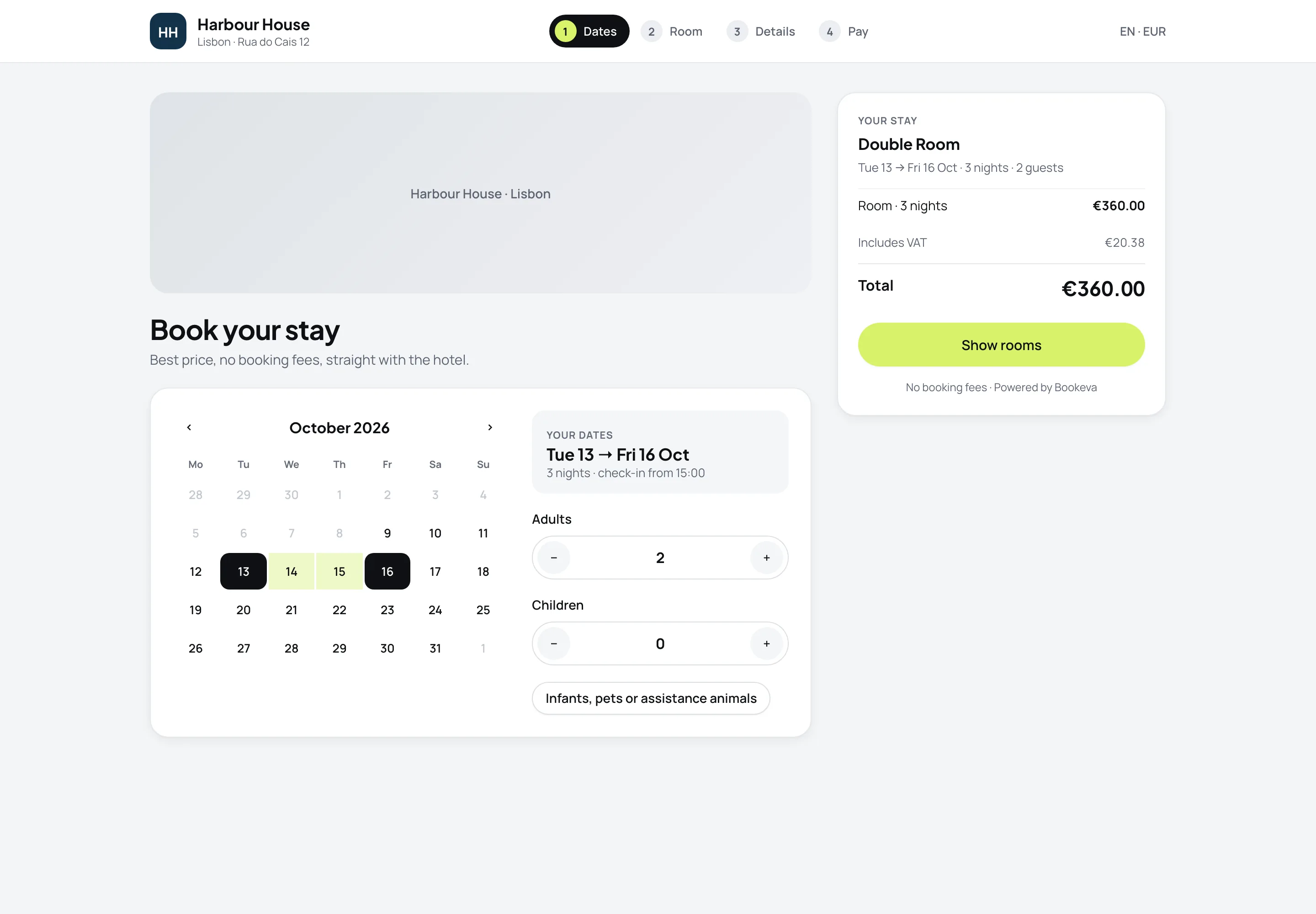
A booking page your guests will use
- Easy for guestsGuests see the live price, with VAT, and book in a few taps.
- You keep the marginNo booking fees, and 0% commission to Bookeva.
- No double bookingsThe room closes on every site as soon as it sells.
How it works
- 1
Set up rates and extras
Choose which rates and extras guests can book online.
- 2
Set how guests pay
Connect Stripe for card payments, and choose the payment rule.
- 3
Take bookings
Share the booking page link. Bookings land in the calendar.
Good to know
See all questionsReady to stop retyping bookings?
14-day free trial. No credit card, no setup fee.