Rates
Change prices once. Every site follows.
Set nightly prices and stay rules once. Every connected site receives them, and your price floor stops anything selling below it.
What you get
Nightly prices
Set nightly prices for each rate plan and see them on the calendar.
Stay rules
Set a minimum stay on arrival and through a night, a maximum stay, and block arrivals or departures.
Bulk changes
Change prices and rules across many nights at once, then save them in one go.
Your price floor
Set a minimum nightly price. Bookeva refuses a price below it.
Prices per channel
Keep one base price and add a markup per booking site.
Close nights
Close a night to stop selling it on every connected site.
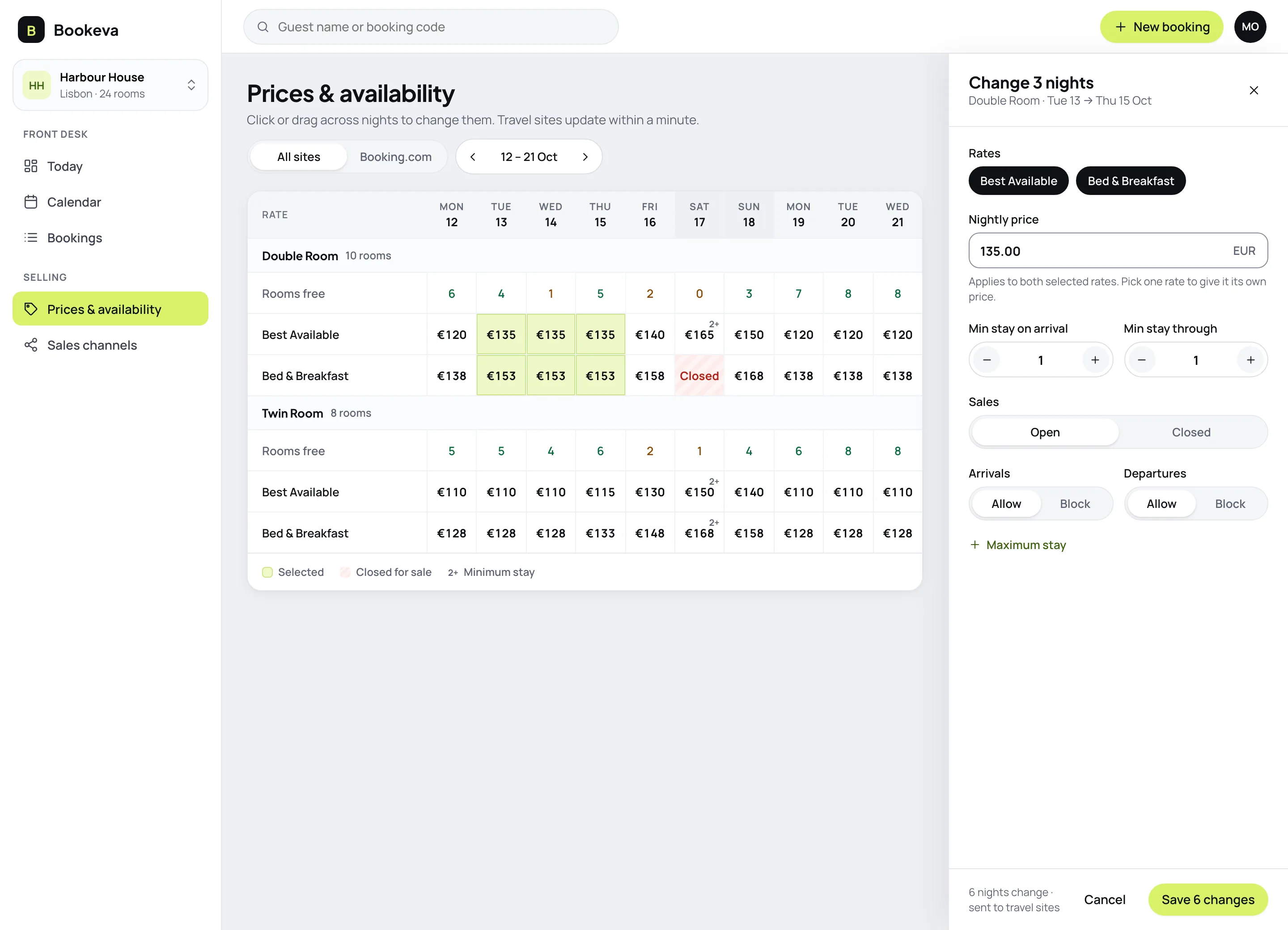
Change prices where you can see them
- Many nights in one goClick or drag across nights and change them together.
- Every rule in one placePrice, minimum stay, closed nights and blocked arrivals in one panel.
- No extranet hoppingSave once and every connected site receives it.
How it works
- 1
Set your floor
Set your minimum nightly price for each rate plan.
- 2
Change prices
Enter prices and stay rules for the dates you want.
- 3
Send them out
Save once. Connected sites receive the changes.
Good to know
See all questionsNo. You set every price. Bookeva never changes a price on its own.
Every site you connect receives the new price and restrictions. Changes that are still being sent are shown on the Rates screen.
Yes. Drag across the nights, enter the price and rules, and save once. Every connected site receives the changes.
A minimum nightly price per rate plan. Bookeva refuses any price below it, so a slip never sells a room too cheap.
Yes. Keep one base price and add a markup per site, for example +10% to cover that site's commission.
Changes still being sent are shown on the Rates screen, and travel sites usually update within a minute.
Ready to stop retyping bookings?
14-day free trial. No credit card, no setup fee.