Start every day knowing what needs you.
Open Today and see who arrives, who is in house and who leaves, with anything that needs you at the top. The calendar shows every room by date, coloured by where the booking came from.
What you get
Today screen
Arrivals, guests in house and departures on one screen, with an exceptions panel beside them.
Calendar
Colours show where each booking came from. Drag one stay onto another to swap their rooms.
Split and swap
Split a long stay across two rooms, or swap two guests' rooms.
Walk-ins and out of order rooms
Add a walk-in, or take a room out of order for repairs. A room that is out of order is not sold.
Guest profiles
Repeat guests are recognised by email or name, with their past and next stays.
Close the day
Close the business day. Guests who did not arrive and rooms still dirty are listed before you close.
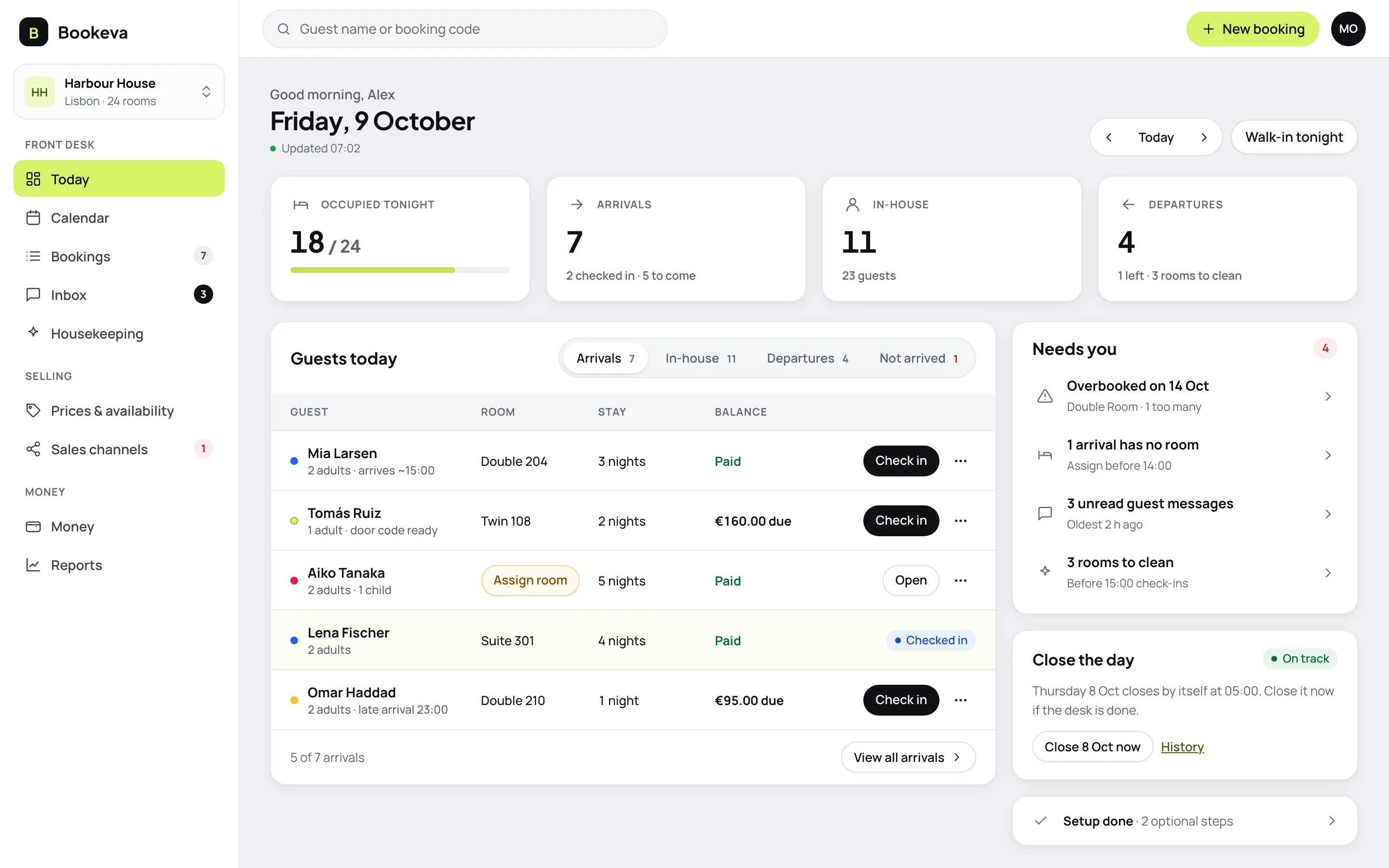
Start the day on Today
- Your day at a glanceArrivals, in house and departures in four numbers.
- What needs you comes firstOverbookings, arrivals with no room and unread messages are listed first.
- Check in with the bill in viewThe balance sits next to every guest, so you know before you check them in.
- Close the day safelyThe day closes by itself at the cut-off, or sooner when you say.
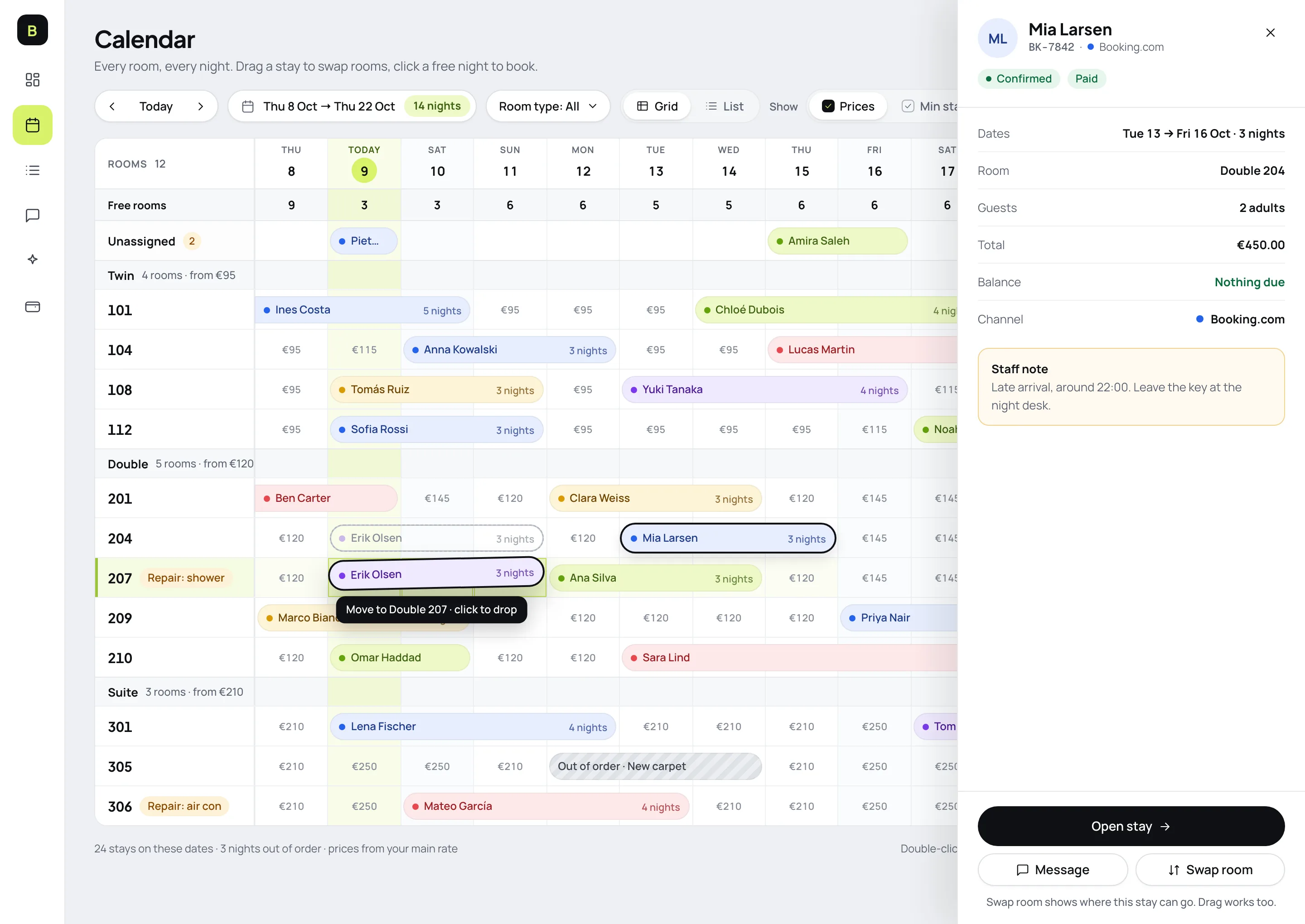
A calendar you can act on
- See the whole hotelEvery room, every night, coloured by where the booking came from.
- Move guests in one dragDrag a stay onto another to swap rooms. The change reaches every site.
- Repairs never get soldRooms under repair or out of order are marked and never sold.
How it works
- 1
Start the day on Today
See who arrives, who stays and who leaves, with exceptions beside the list.
- 2
Check guests in and out
Assign rooms, take payments and check guests in and out from the stay.
- 3
Close the day
Close the day and see the results for it.
Good to know
See all questionsReady to stop retyping bookings?
14-day free trial. No credit card, no setup fee.