Guest emails that send themselves.
Turn on ready-made emails, edit the wording and choose when each one goes out. Replies and conversations stay in one inbox, next to the booking.
What you get
One inbox
Conversations with your guests by email, next to the booking.
Ready-made emails
Ready-made emails for booking confirmation, before arrival, payment reminder, arrival day, door code ready and review request. You can edit each one.
Sent at the right time
Choose the day offset and send time for each email, and set quiet hours.
Test before you turn on
Send yourself a test email to see exactly what the guest receives.
No double emails
Bookings from the travel sites are skipped, because the site sends its own emails.
Codes stay off email
The door code is never written in an email. The guest sees it on their stay page.
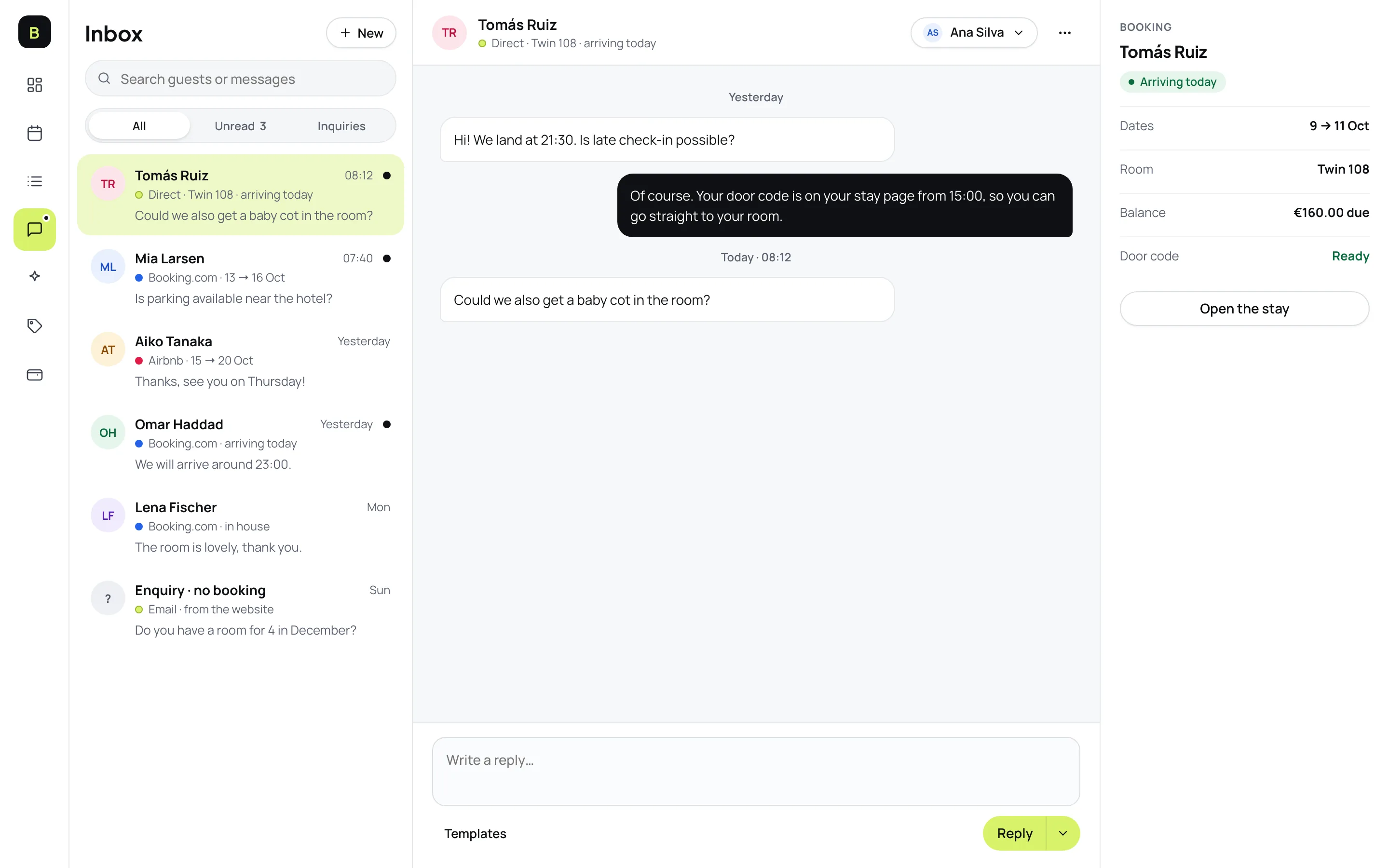
Conversations next to the booking
- The booking is always in viewDates, room, balance and door code status sit beside every conversation.
- One inboxEvery guest conversation is in one list, not scattered across inboxes.
- Faster repliesReply with your own words or a ready-made template.
How it works
- 1
Edit your emails
Start from the ready-made emails and change the wording.
- 2
Choose when they go out
Pick the day and time each one goes out, for example two days before arrival.
- 3
Reply from one place
Reply to guests from the inbox, next to their booking.
Good to know
See all questionsReady to stop retyping bookings?
14-day free trial. No credit card, no setup fee.