Get paid, and see who still owes you.
Take card payments through Stripe, straight into your own account. Every stay has a bill that shows what was charged, paid and refunded, so you always know who still owes you.
What you get
Guest bills
Every stay has a bill that shows what was charged, paid and refunded.
Card payments
Take card payments for a stay through Stripe, paid to your own account.
Virtual cards
Charge the virtual card a travel site sends, from the booking, when the site provides one.
Invoices with VAT
Issue invoices and credit notes as PDF from the stay, with VAT on every line and the buyer's details.
Extra charges
Add charges such as tourist tax to a bill, with the amount you set.
Payouts
See your Stripe payouts without leaving Bookeva.
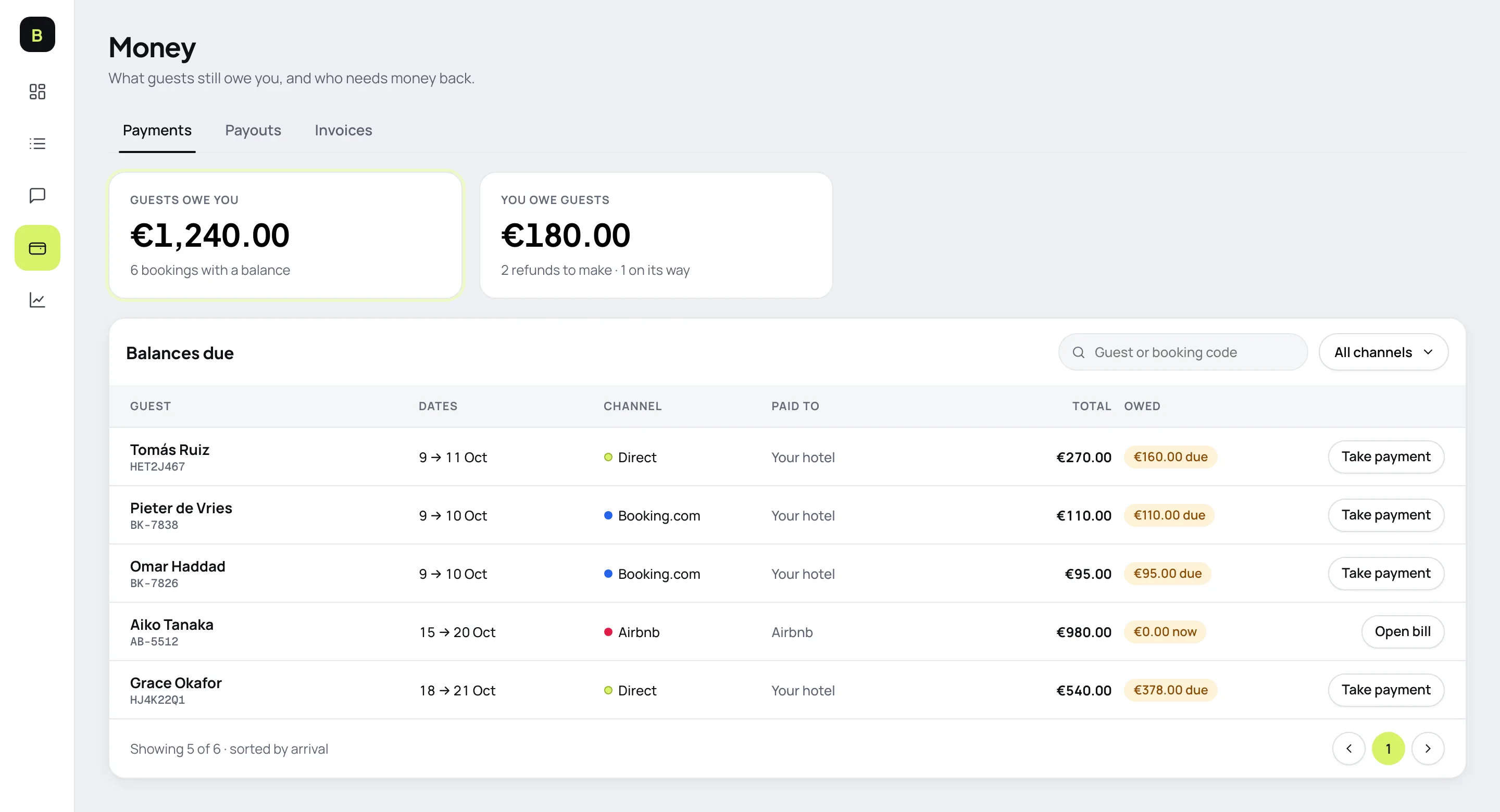
Know who still owes you
- Who owes whatTwo numbers answer it: what guests owe you, and what you owe them.
- One click to get paidTake a card payment from the list, paid to your own account.
- No hunting across toolsPayouts and invoices sit in the same place.
How it works
- 1
Connect Stripe
Link your own Stripe account from Settings.
- 2
Set payment rules
Choose full payment, a deposit or pay at the hotel for each rate.
- 3
Get paid
See who has paid and who still owes you on every stay.
Good to know
See all questionsReady to stop retyping bookings?
14-day free trial. No credit card, no setup fee.